

A Landscape Photographer’s Desk Setup
Behind every photograph is a space where ideas are refined, images are edited, prints are prepared, and the next adventure is quietly planned. This desk setup has slowly evolved into more than just a workspace — it’s become the creative hub behind Phillip’s landscape photography. From early morning edits with coffee in hand to late-night printing sessions surrounded by the calm glow of monitors and muted tones, every detail has been chosen to create an environment focused on creativity, atmosphere, and inspiration.
Balanced between technology, nature, and simplicity, this is where the landscapes are brought to life long after the walk back from the hills, forests, and coastlines has ended.
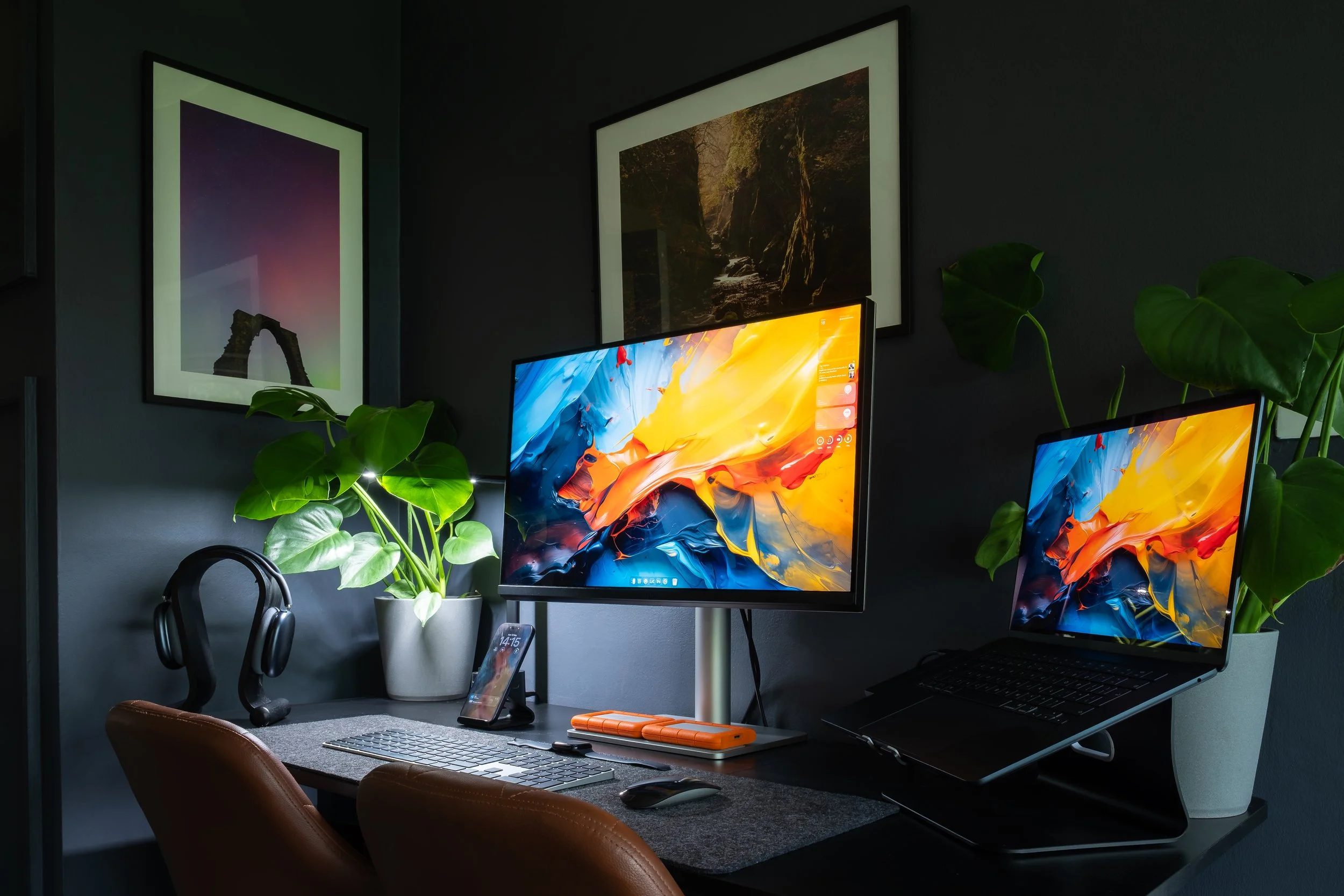
At first glance, Phillip’s desk setup and workspace may feel unusually dark, muted, or even slightly melancholic compared to the bright minimalist spaces often seen online. But for Phillip, that atmosphere is entirely intentional. The deep tones, soft lighting, and enclosed corners create a sense of calm that feels far more inspiring than harsh white walls and overpowering brightness ever could.
It’s within these darker, quieter spaces that Phillip feels most creative — whether editing landscape photographs late into the evening, carefully reviewing prints, reading photography magazines with a morning coffee, or simply slowing down after long days outdoors in the elements. The surrounding shadows allow the colours and light within his photographs to stand out naturally, creating an environment that feels immersive, focused, and deeply personal.
Rather than a workspace designed purely for productivity, this setup reflects comfort, atmosphere, and escapism — a cosy creative corner built for reflection, storytelling, and the quieter side of photography.
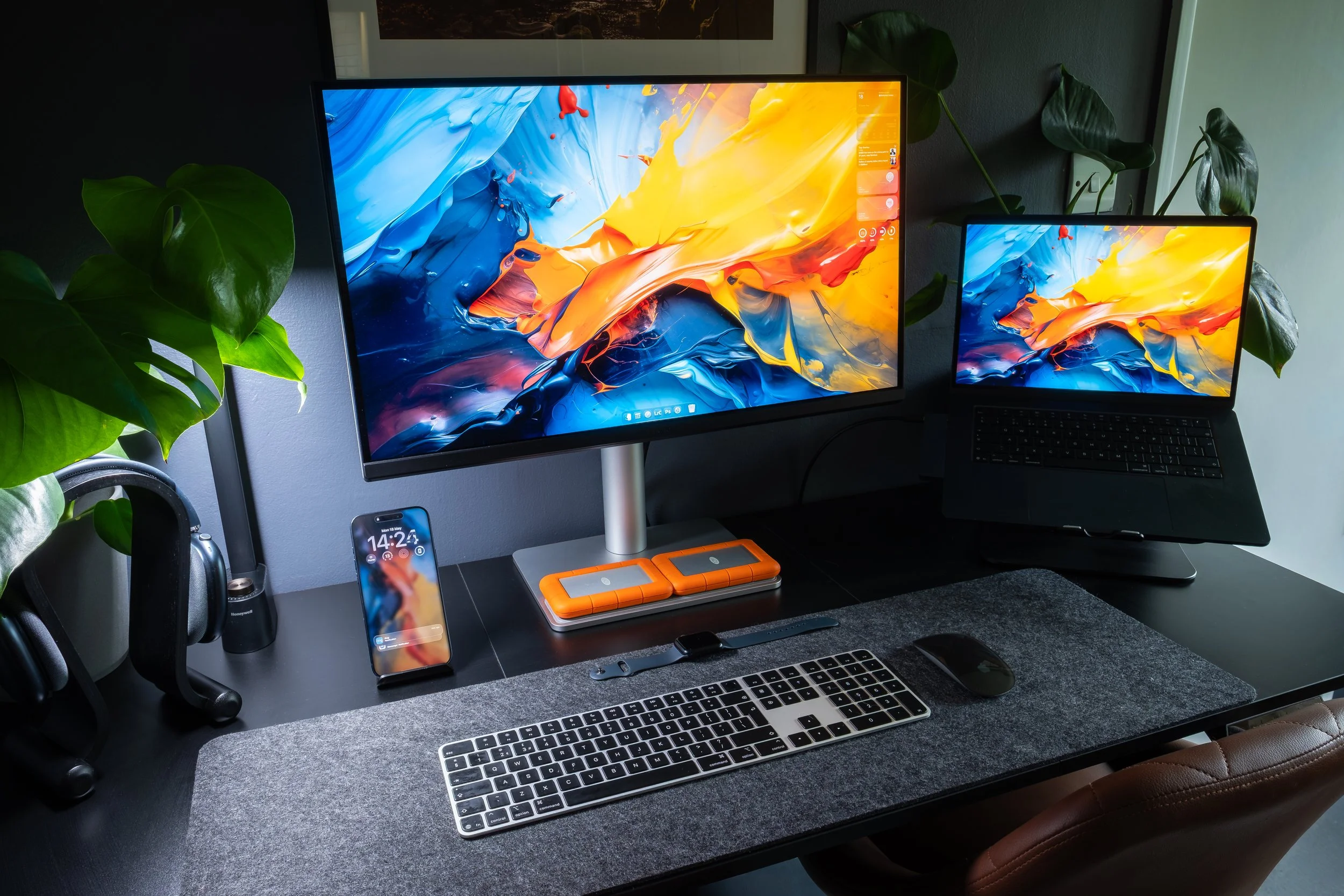
Starting from the left side of Phillip’s workspace, inspiration and immersion are just as important as productivity. Resting neatly on a wooden headphone stand are Phillip’s headphones of choice — the Apple AirPods Max. Whether editing landscapes from the Peak District, watching photography documentaries late into the night, or quietly studying compositions over a morning coffee, the seamless syncing between his MacBook and iPhone is a huge part of the experience. Even the wooden stand itself was chosen carefully, adding warmth and texture against the otherwise dark matte setup.
Above the desk sits a Honeywell overhead lamp, an essential part of controlling the atmosphere within the room. Featuring adjustable brightness and three separate Kelvin temperature settings, Phillip can completely shift the mood of the workspace depending on the time of day — from cool daylight tones whilst colour grading photographs, to warmer, softer lighting during evening editing sessions or quiet reading. Integrated USB-C and USB charging ports also allow accessories to remain powered without cluttering the desk.
Continuing the cohesive aesthetic, Phillip uses the same manufacturer for both the headphone stand and iPhone dock. The matching wood tones and minimalist design language help the entire setup feel intentional, balanced, and calming rather than overly technical or chaotic.
Positioned centrally on the desk is Phillip’s iPhone 17 Pro Max. For Phillip, having the best possible camera available instantly is non-negotiable. The iPhone acts as far more than just a phone — it is a scouting tool, composition notebook, editing companion, and portable extension of his photography workflow. Maintaining accurate colour profiles across every screen is equally important, ensuring photographs look consistent whether viewed on the iPhone, MacBook, or primary display.
The centrepiece of the setup is the BenQ 27-inch 4K rotating nano-texture gloss display. Designed specifically with creators in mind, the monitor delivers exceptional colour accuracy and clarity, pairing perfectly with Apple devices and macOS colour science. For a landscape photographer obsessed with subtle tones, atmospheric light, and accurate print reproduction, colour precision is absolutely critical. The rotating functionality also allows Phillip to easily switch orientations depending on editing needs or print preparation.
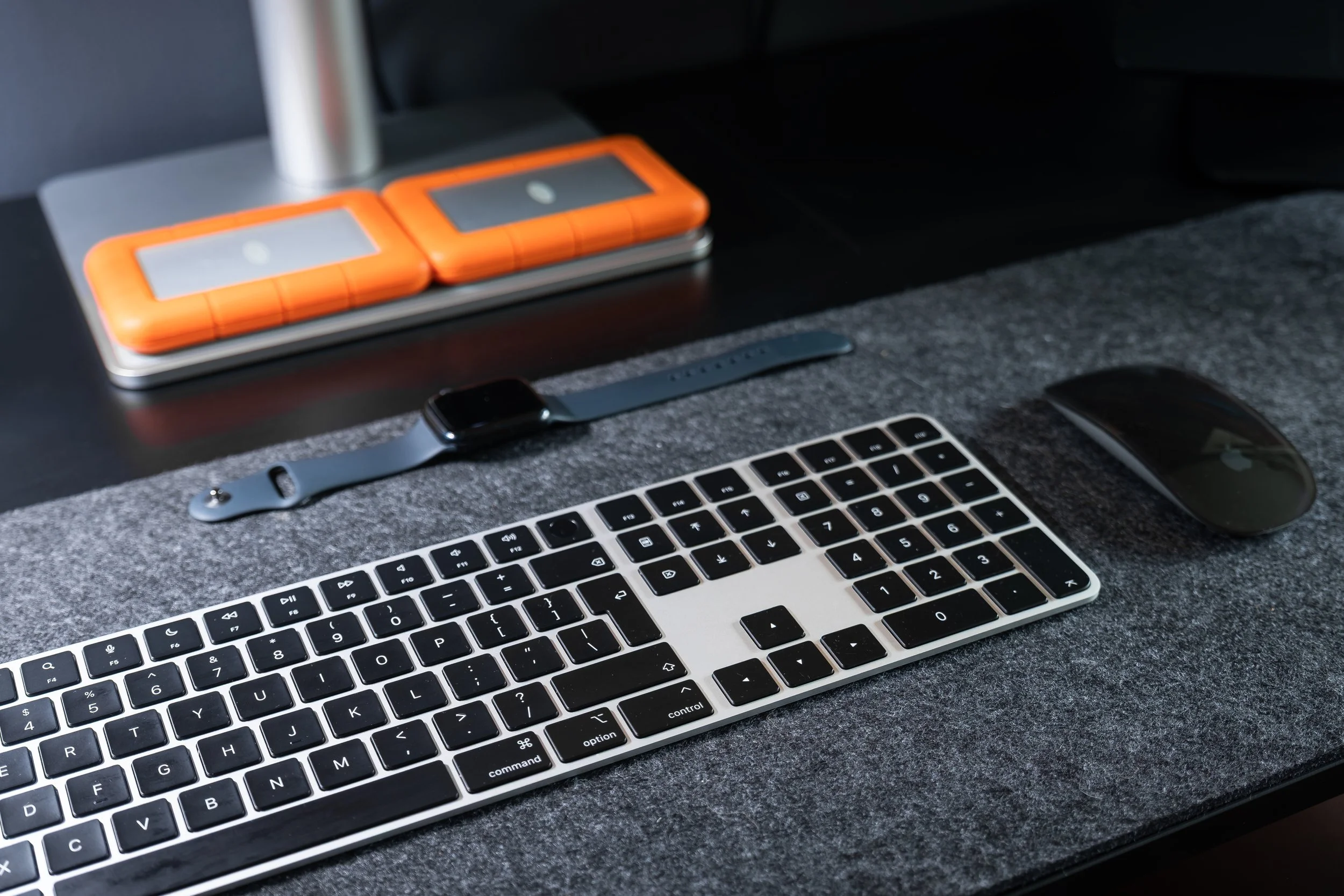
Beneath the display, Phillip keeps storage simple and reliable using two LaCie 5TB SSD hard drives. One drive is dedicated entirely to RAW landscape photography files, whilst the second stores all other creative work, website assets, videos, and business projects. Alongside physical backups, Phillip also maintains cloud redundancy through iCloud, ensuring his work remains protected and accessible across the entire Apple ecosystem.
Finally, tying the workspace together are the Apple Magic Keyboard and Magic Mouse 2. Again, simplicity, reliability, and ease of use are at the core of the decision-making. Phillip values a workflow that feels frictionless — devices that instantly connect, maintain continuity between systems, and allow him to focus entirely on photography, editing, storytelling, and printing without technical distractions.
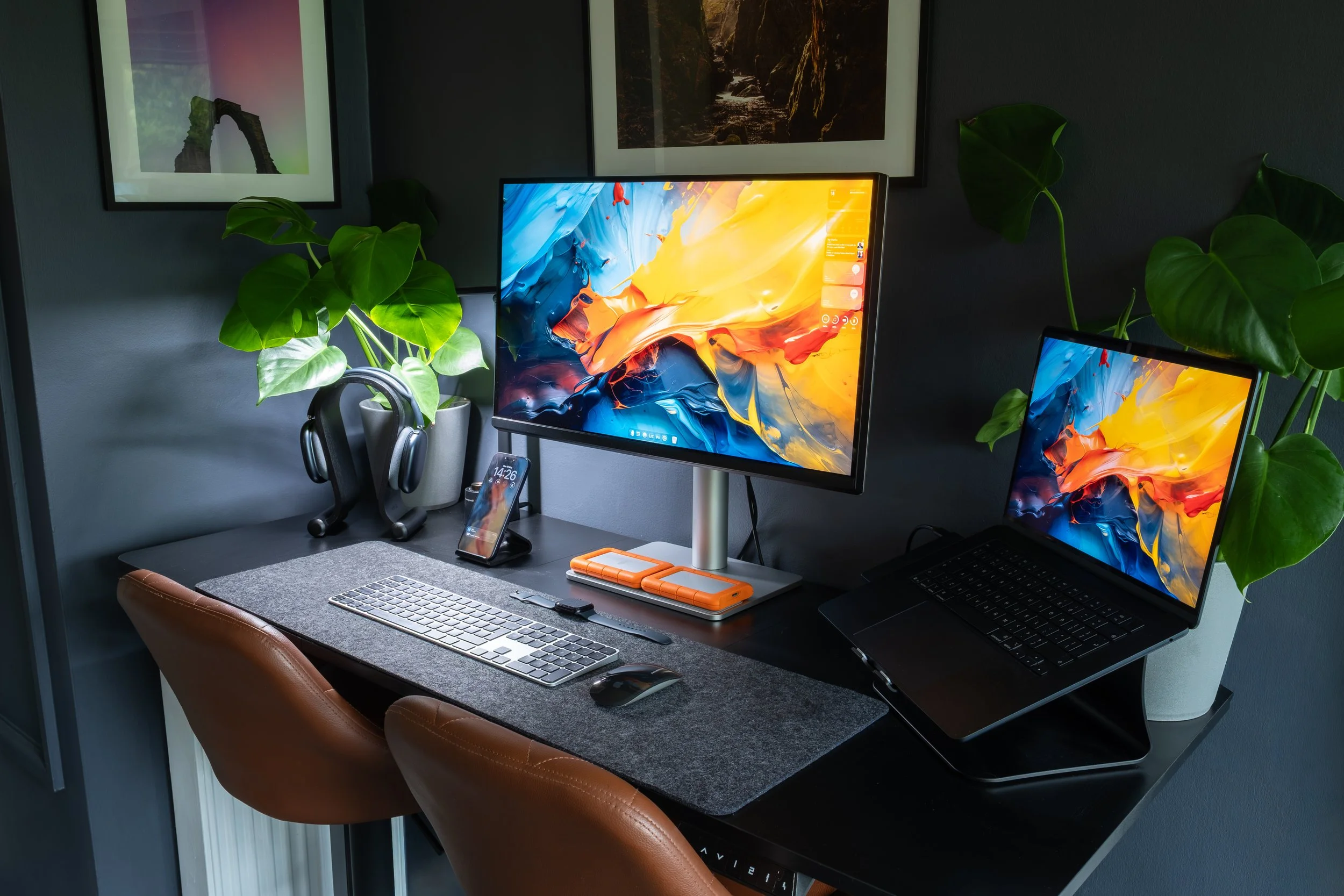
To the right of the workspace sits Phillip’s 15-inch MacBook Air M4 in Midnight, a machine that fits seamlessly into both the visual aesthetic and the practical workflow of the setup. The deep Midnight finish blends perfectly with the dark matte tones of the desk, monitor, and surrounding décor, helping the entire space feel clean, understated, and intentionally designed rather than cluttered with technology.
Despite its slim and minimal appearance, the MacBook Air is an absolute powerhouse for Phillip’s photography workflow. Equipped with 16GB of memory, it comfortably handles large RAW landscape files, Lightroom editing sessions, website work, printing preparation, and day-to-day creative tasks without feeling overwhelmed. Whether working through fog-filled woodland scenes from Dale Abbey or high-detail coastal images from Tenerife and Tossa de Mar, the machine delivers the performance needed whilst remaining silent and efficient.
One of the biggest advantages for Phillip is the simplicity of the setup itself. The MacBook is powered entirely through a single USB-C cable connected directly to the BenQ display. That one cable handles power, display output, and connectivity, keeping the workspace exceptionally clean and minimal with very little visible cabling — something Phillip values heavily within such a calm editing environment.
The MacBook Air also perfectly supports Phillip’s lifestyle beyond the desk. Lightweight, portable, and reliable, it transitions effortlessly from home editing station to travel companion. Whether sitting in a quiet coffee shop, travelling through the Highlands, or editing images after a long day exploring the coastline, the MacBook allows Phillip to carry his full creative workflow virtually anywhere without compromise.
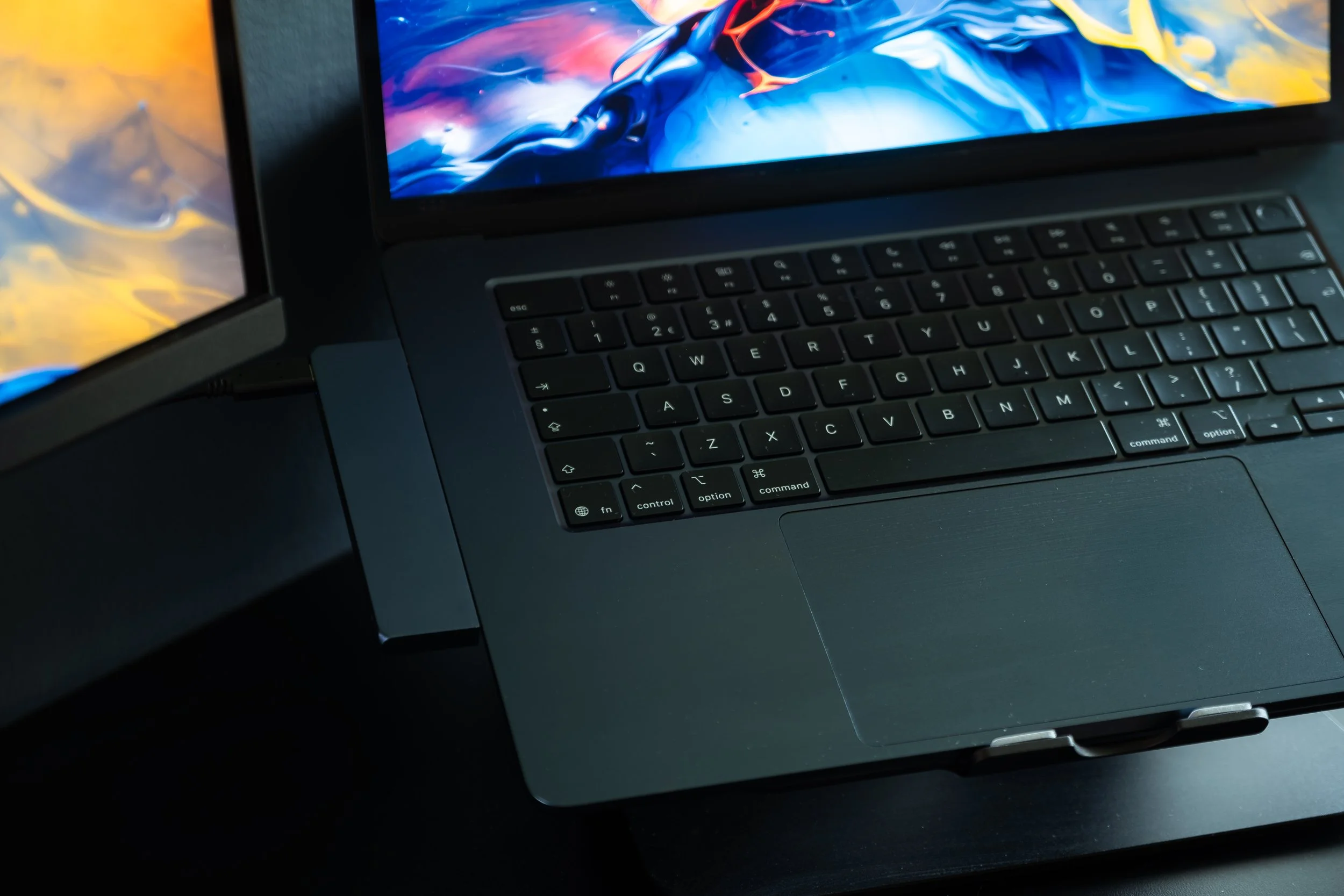
One of the few compromises of the MacBook Air design is the lack of a built-in SD card slot — something photographers still rely on heavily when transferring RAW files from cameras and drones. Fortunately, Satechi has this completely covered with their sleek USB-C dock finished in a matching Midnight tone, blending seamlessly into Phillip’s setup as if it were designed by Apple themselves.
Rather than adding bulky adapters or messy cables to the workspace, the Satechi dock keeps everything clean, minimal, and functional whilst expanding connectivity exactly where it’s needed most. With fast SD card access alongside additional ports for peripherals and storage, it becomes an essential part of Phillip’s workflow, especially after long landscape photography sessions where hundreds of RAW files need importing quickly and reliably.
Most importantly, it preserves the aesthetic and simplicity of the setup — something Phillip values just as highly as performance itself.
From Field to Fine Art Print
This is Phillip’s print station — the final stage of the journey where photographs move from muddy boots, early alarms, mountain air and memory cards into something physical that can actually be held, framed and experienced properly.
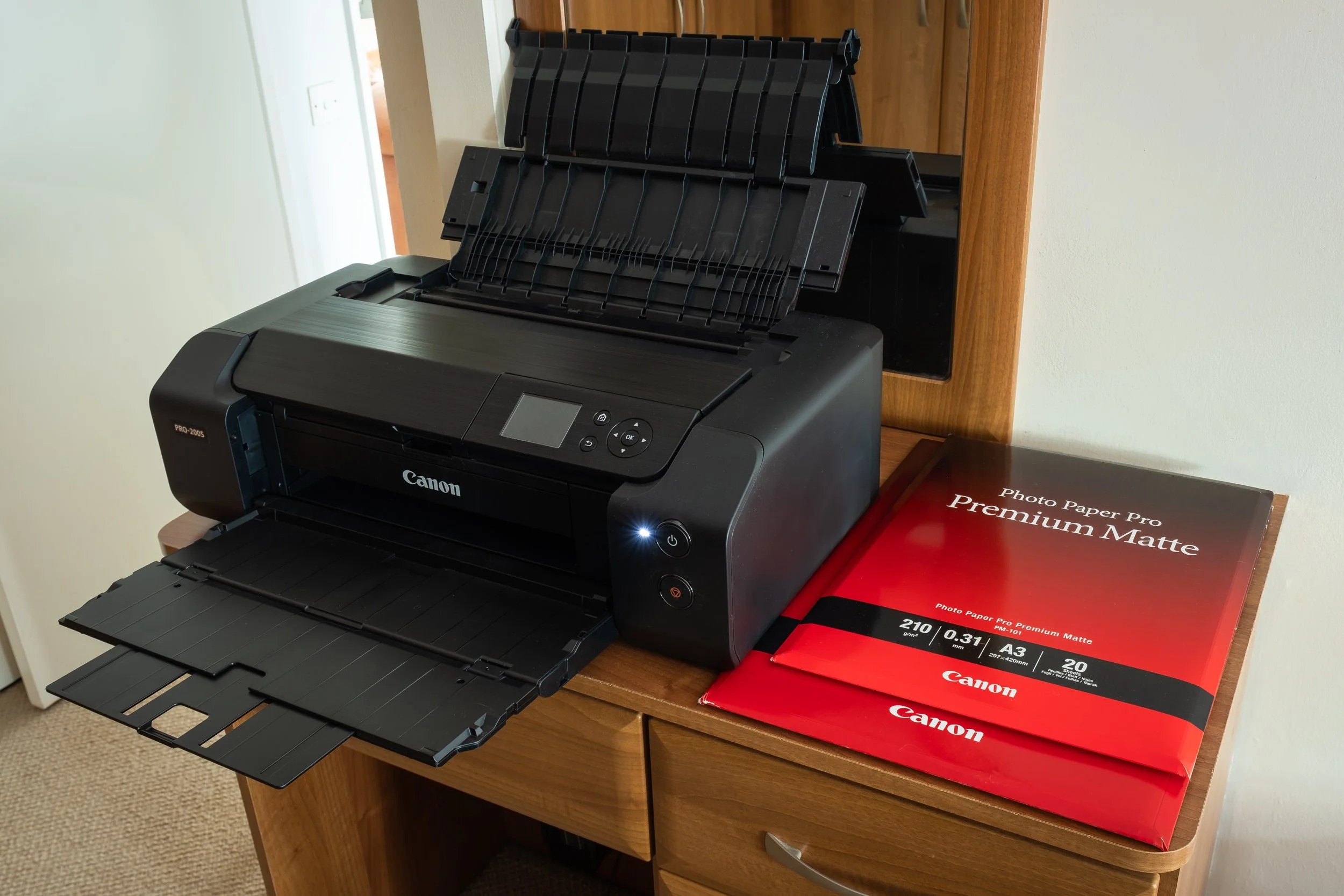
At the centre of the setup sits the Canon PIXMA PRO-200S, Phillip’s dedicated fine art and photography printer. Whether it’s foggy woodland scenes from Dale Abbey, dramatic coastlines from Tenerife, or quiet moments captured close to home, every image eventually finds its way here for the final stage of refinement and printing.
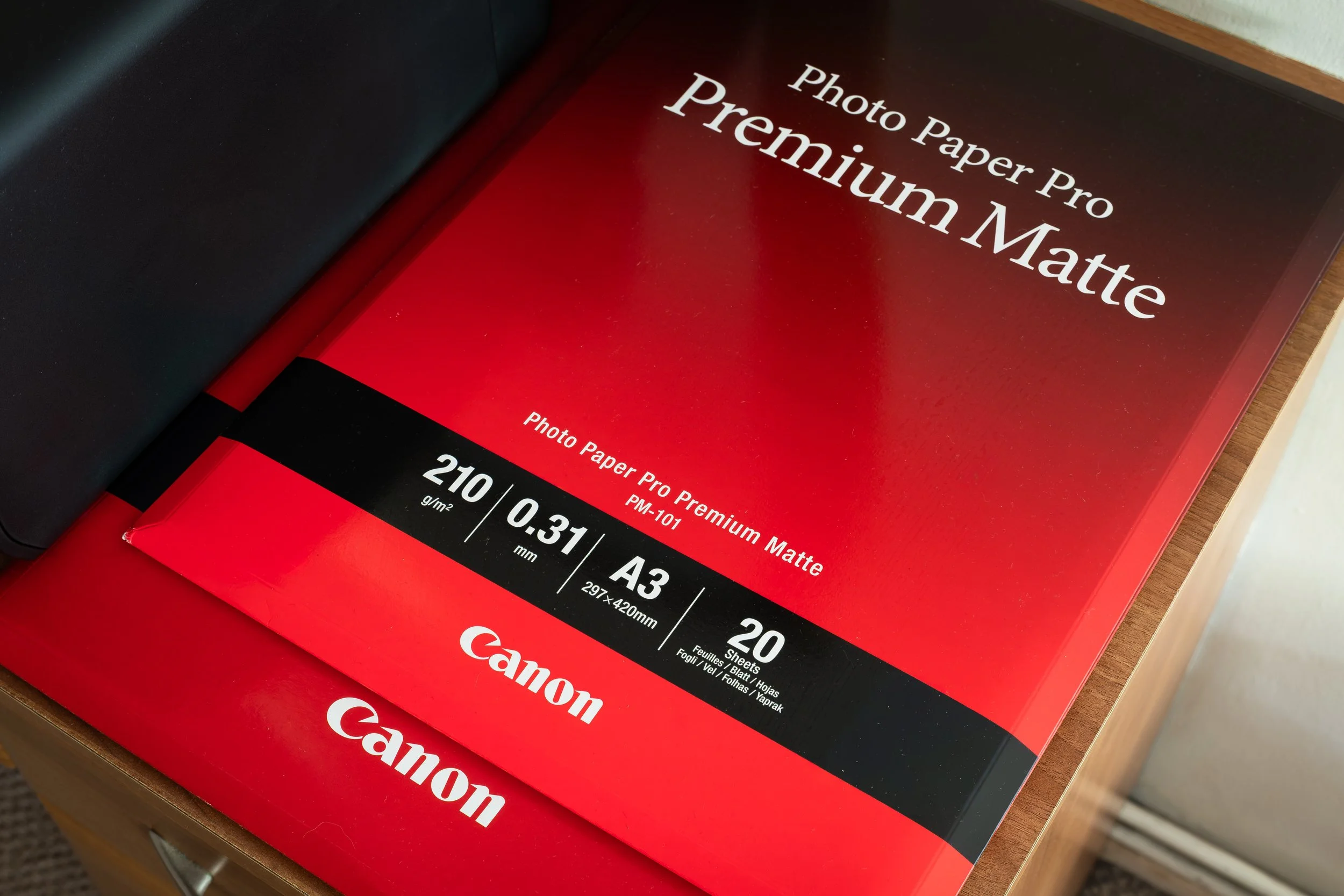
Alongside the printer is a carefully selected range of Canon Professional papers, chosen specifically to suit Phillip’s style of landscape photography. Premium matte papers remain a favourite, helping preserve subtle tones, soft atmospheres and natural textures without excessive gloss or distraction.
Inside the drawers beneath the station is everything needed to support the printing workflow — refillable inks, protective gloves for handling fine papers, acid-free tissue paper for wrapping prints safely, alongside spare accessories and various printing essentials gathered over time.
For Phillip, printing is far more than simply pressing a button. It’s the moment a photograph finally leaves the screen and becomes something tangible — completing the process from field, to desk, to print.

This image began out in the field in Dale Abbey, surrounded by mist, woodland and the quiet atmosphere he is always drawn to. In that moment, it was simply a scene he connected with — something found through walking, watching, waiting, and making the most of the conditions in front of him.
This is the finished product.
From being out with the camera, to working on the image at his desk, choosing the right paper, refining the tones, and making sure the colours and detail are just right, every stage matters. Watching the print emerge from the Canon PIXMA PRO-200S is the point where the photograph truly comes to life.
For Phillip, a fine art print is more than just ink on paper. It is the final stage of the journey — taking something experienced in the field and turning it into something real that can be held, displayed and appreciated in a completely different way.
